
| Color Setting, Customizer | December 7, 2023
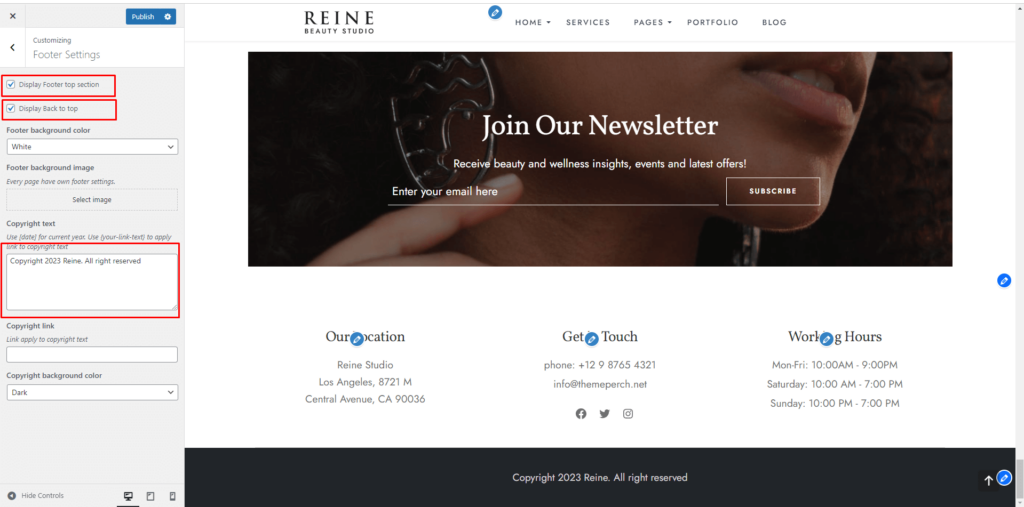
Theme template modifications can be made with customizer settings. Settings can be accessed quickly by clicking on the pencil icon marked red in the screenshot below. Customizer settings are :
- Typography settings
- Header settings
- Blog settings
- Single post settings
- CTA settings
- Footer settings
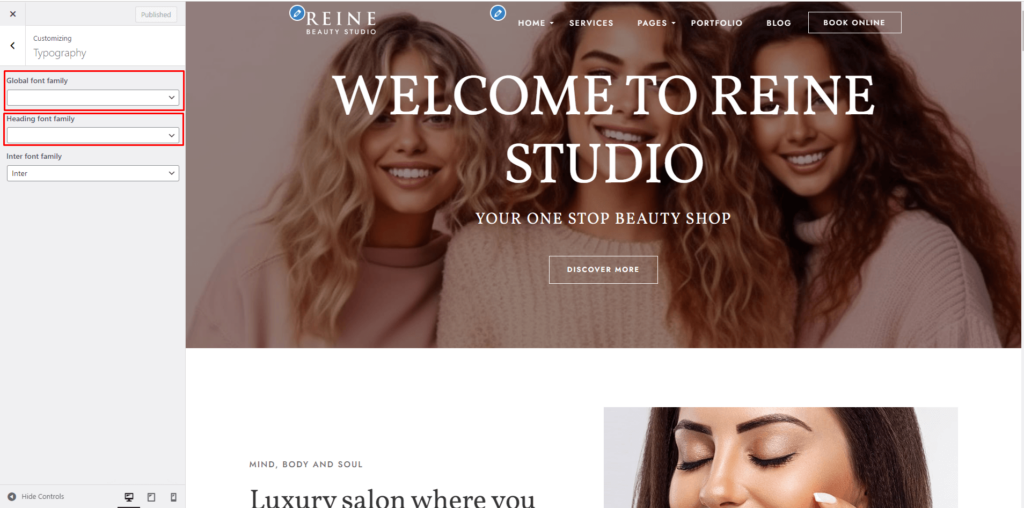
Typography Settings
Go to: Appearance > Customize > Typography
Theme global font family can be changed from here.
Header settings
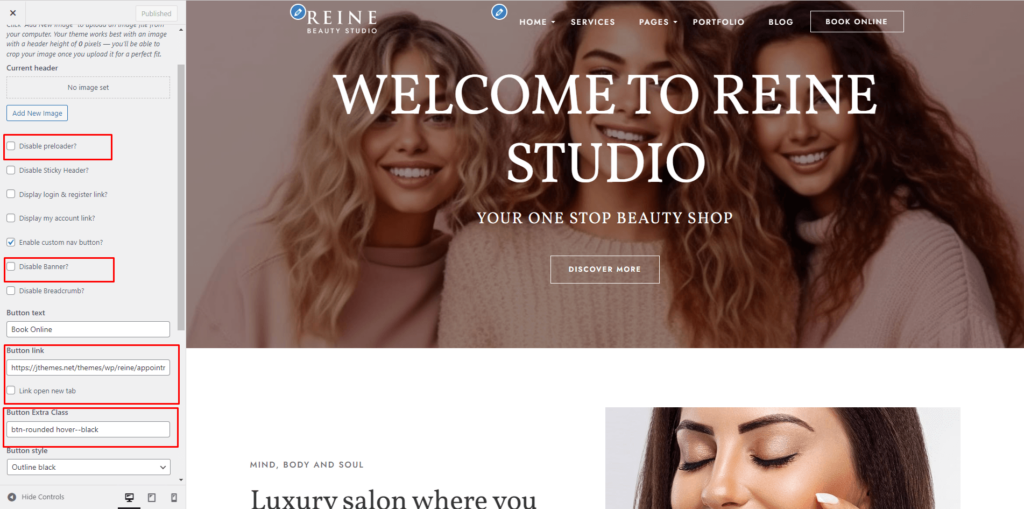
Go to : Appearance > Customize > Header Settings
Header styles, banner settings, header menu, and button customization can be made from here.
Blog settings
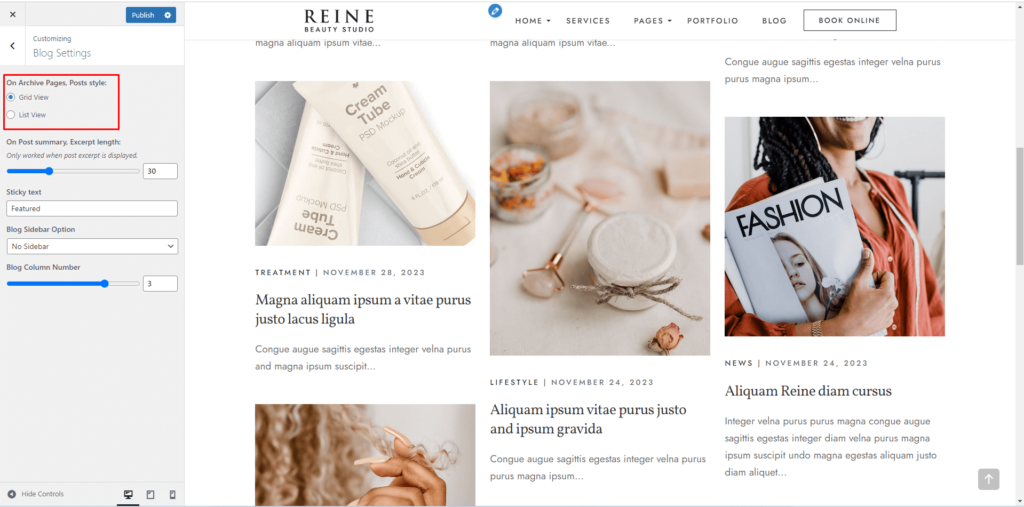
Go to : Appearance > Customize > Blog Settings
On Archive Pages, Posts style:
Grid View
List View
Post-archive settings can be changed from here.
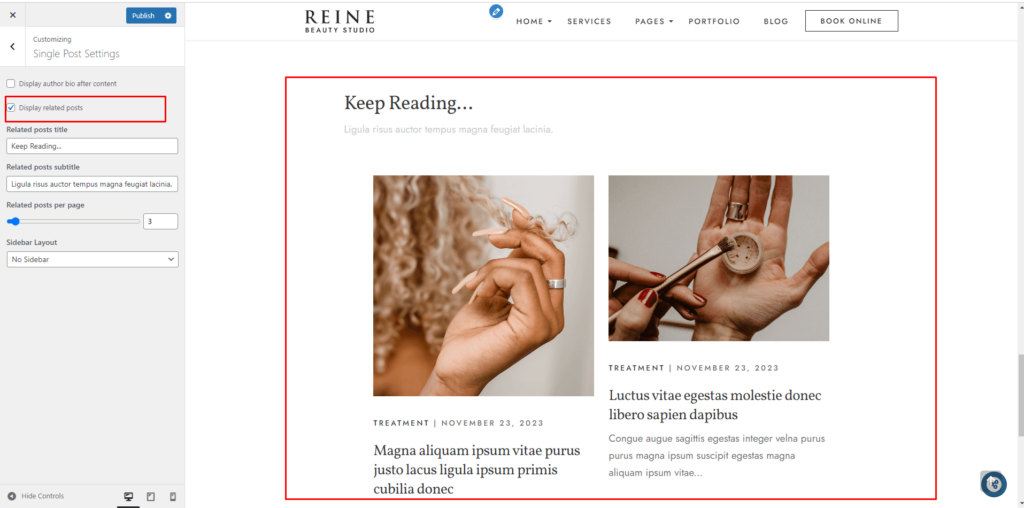
Single Post Settings
Go to : Appearance > Customize > Blog Settings
Display author bio after content
Display related posts
Related posts you can enable and disable here.
Footer settings
Go to : Appearance > Customize > Theme options > Footer > Copyright bar
The footer background, logo, and copyright text can be changed from here.