

| Theme Installation | December 7, 2023
Installing a WordPress theme is a straightforward process. Here’s a step-by-step guide to help you install a theme on your WordPress website:
Method 1: Installing Reine Theme (ZIP File)
If you have a Reine theme in a ZIP file that you’ve purchased or downloaded from a Reine source:
- Download the Reine Theme ZIP File:
If you haven’t already, download the Reine theme ZIP file to your computer.
- Upload the Theme:
- In your WordPress dashboard, go to “Appearance” and click on “Themes.”
- Click the “Add New” button.
- Click the “Upload Theme” button.
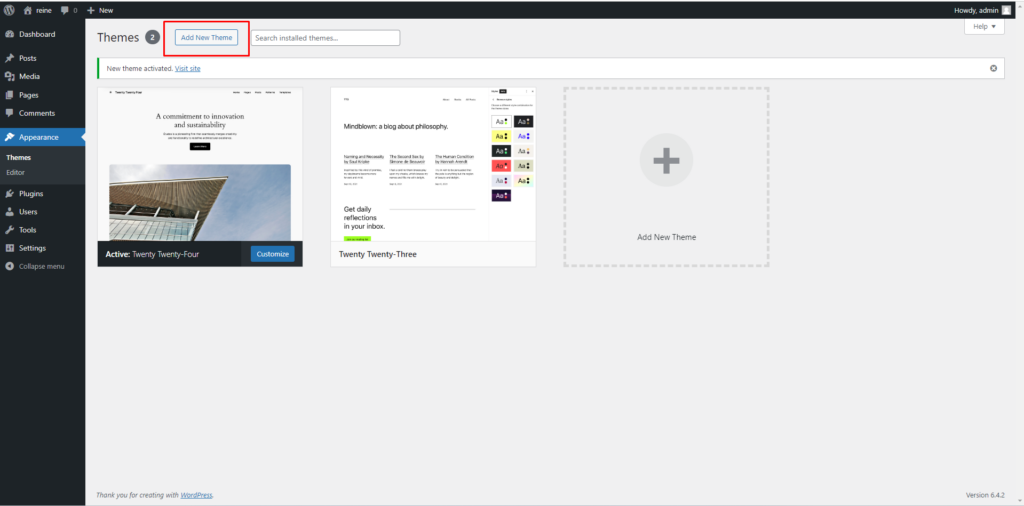
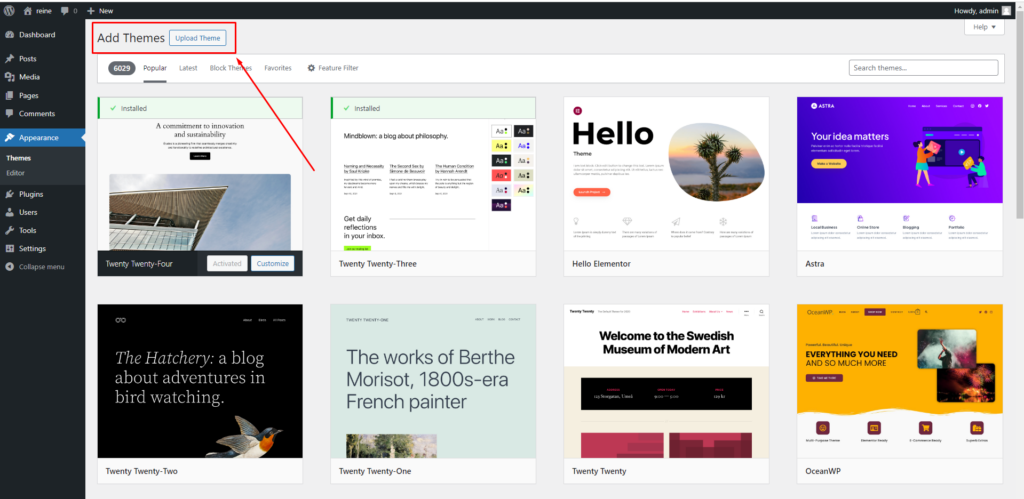
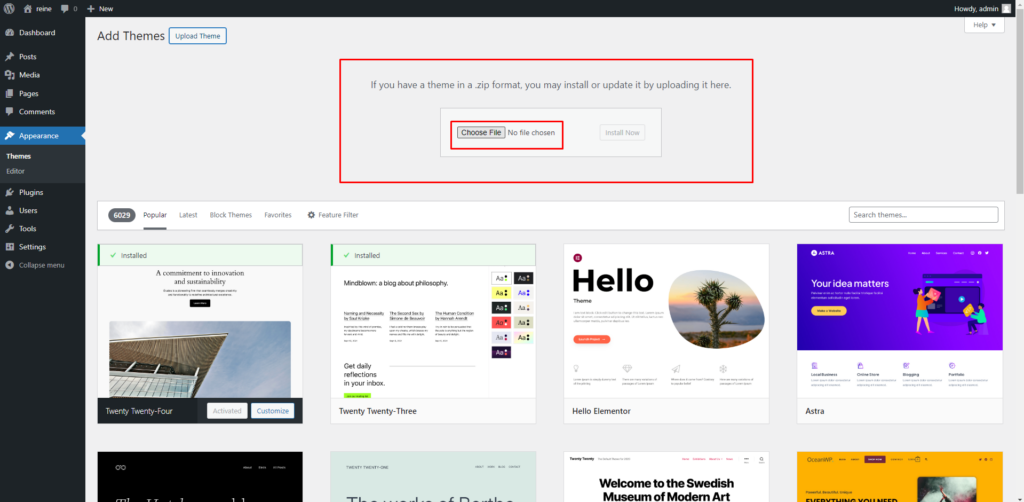
- Choose the ReineZIP file you downloaded and click “Install Now.”
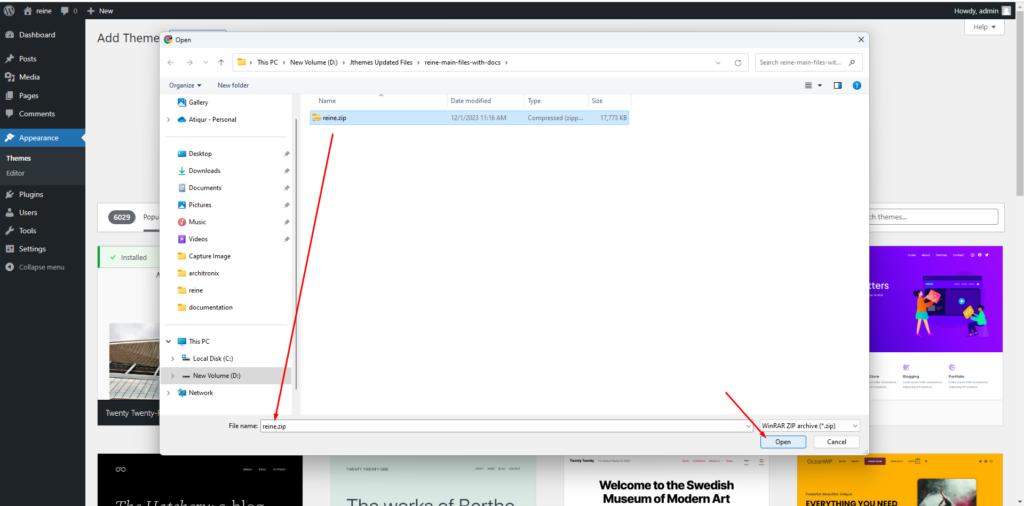
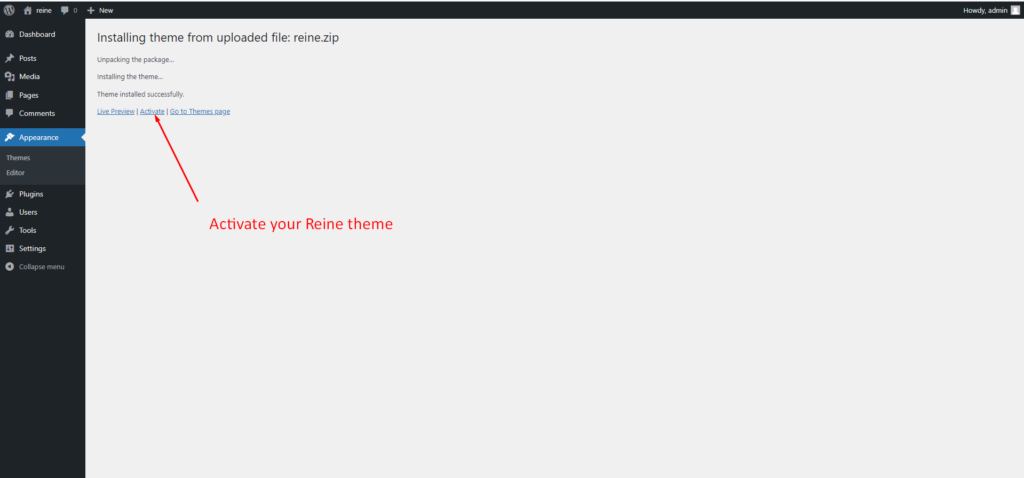
- Activate the Theme:
After installation, click the “Activate” button to make the theme live on your site.
- Install Theme Required Plugins:
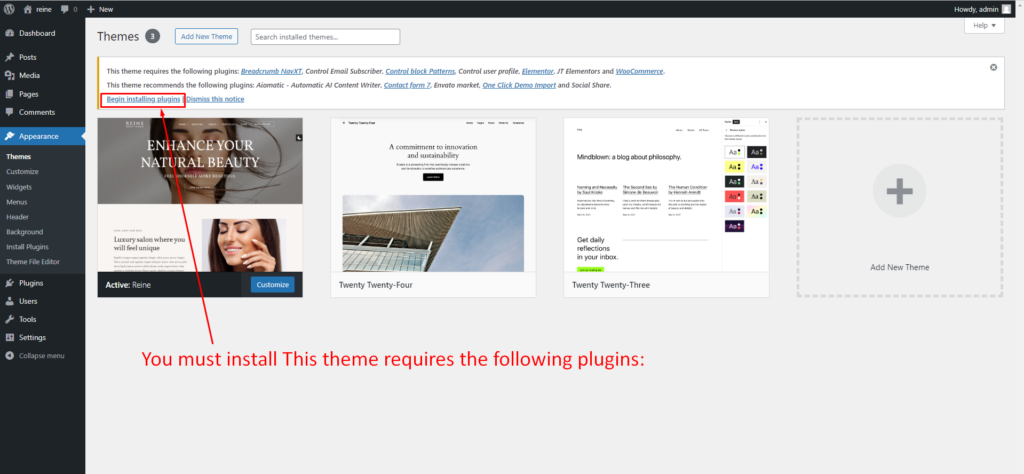
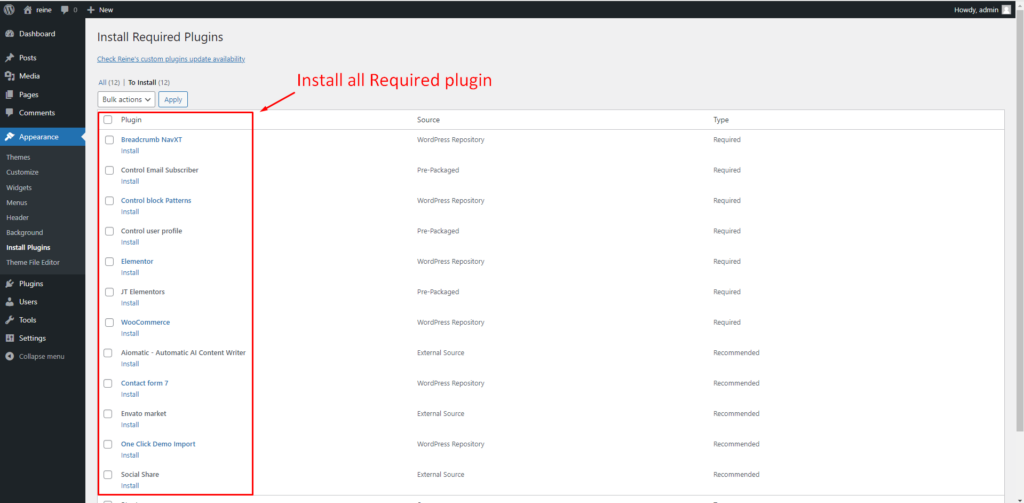
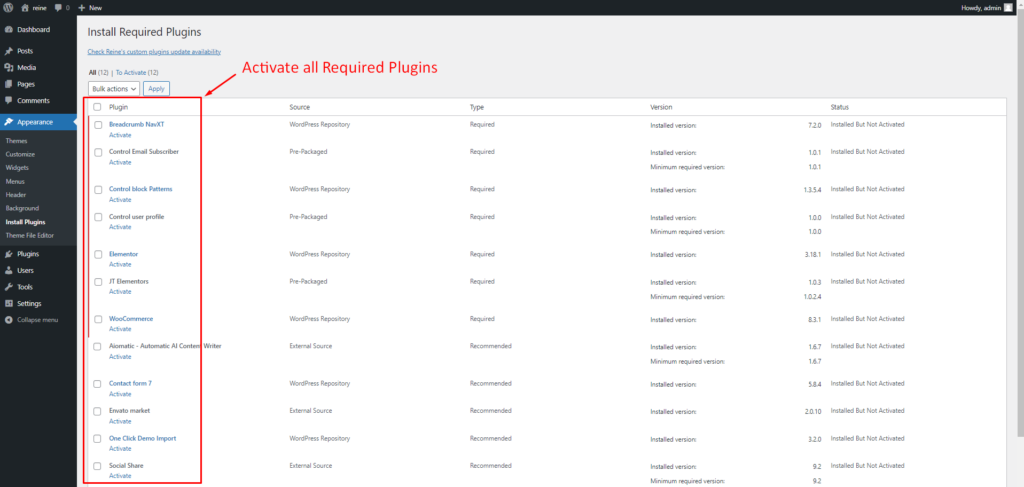
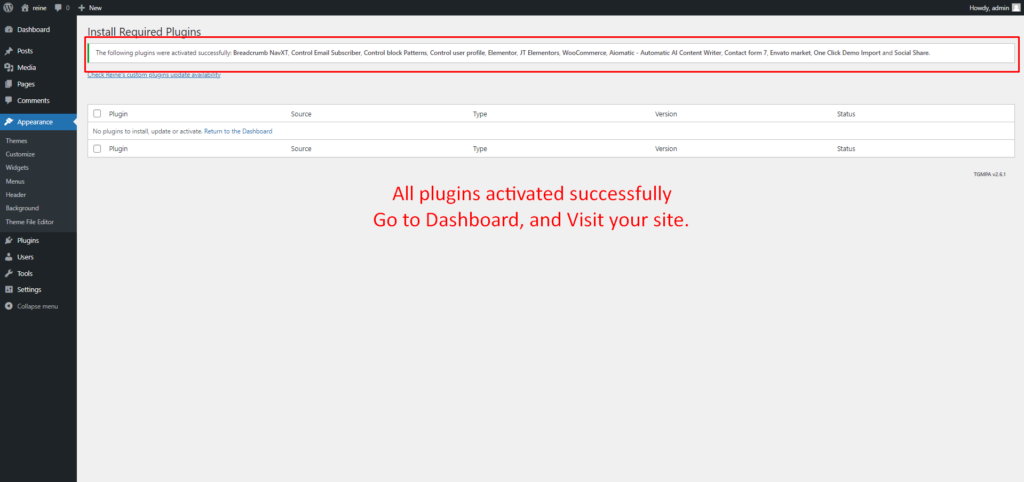
All plugins activated successfully
Go to Dashboard, and Visit your site.
Demo data import documentation link is given.
Method 2: Manual Installation via FTP
If you prefer a manual approach:
- Download and Extract the Theme:
Download the Eventiva theme ZIP file and extract it to your computer. - Connect to Your Website via FTP:
Use an FTP client like FileZilla to connect to your web server. - Upload the Theme:
Navigate to the “wp-content/themes/” directory on your server.
Upload the extracted theme folder into the “themes” directory. - Activate the Eventiva Theme:
In your WordPress dashboard, go to “Appearance” and click on “Themes.”
Activate the theme you just uploaded.
Install Theme Required Plugins.